Introducing Widgets to Android Auto
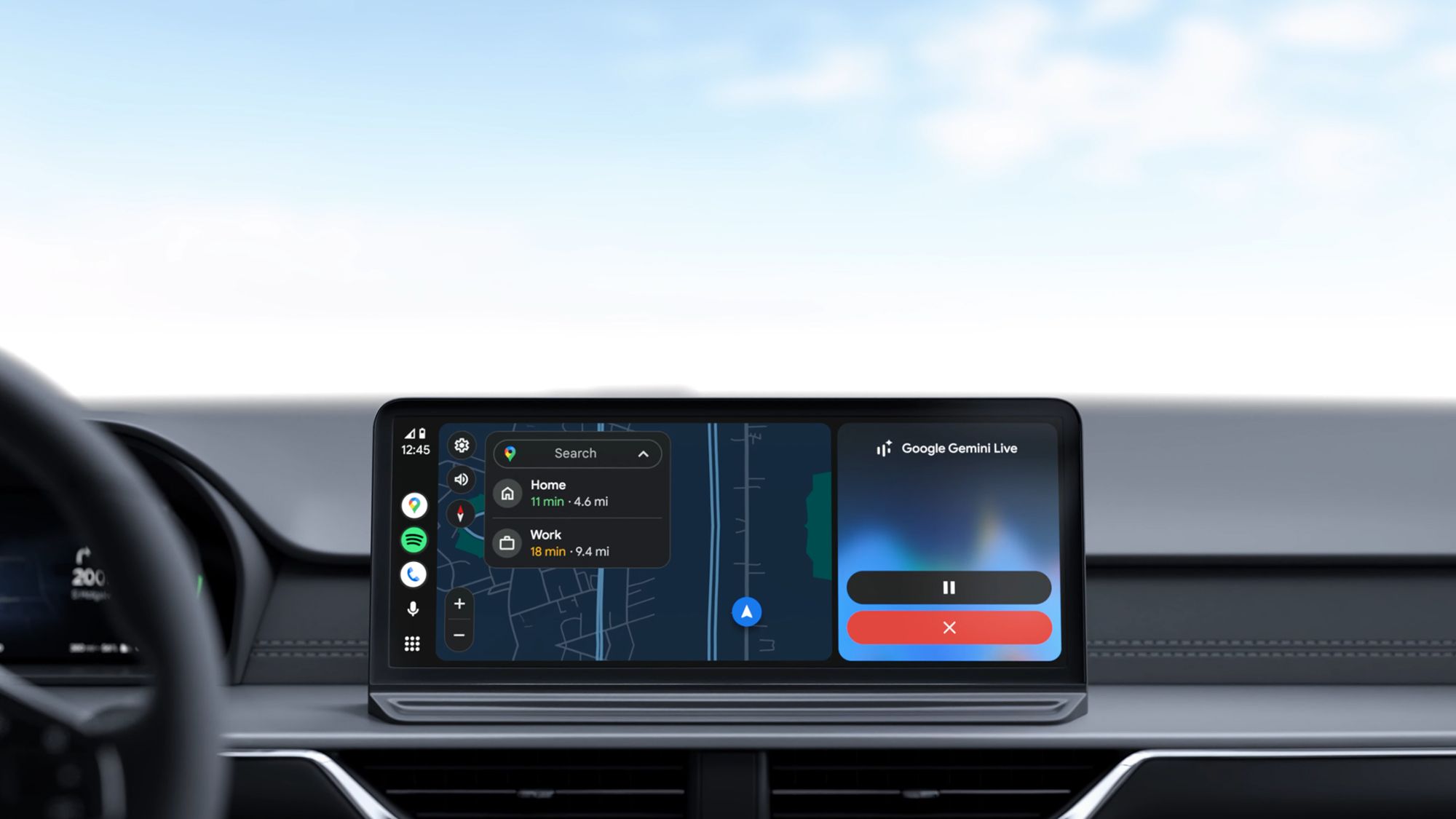
Google is gearing up to transform the Android Auto experience with customizable home screen widgets. These aren’t your typical widgets—they’re crafted specifically for car dashboards, giving drivers instant access to calendar events, battery levels, and fitness stats without digging through menus. Spotted in app code and expected at Google I/O 2026, this update aims to streamline how we interact with our car’s infotainment system.
But it’s not just about stacking on features. The real question is how these widgets will fit into already crowded screens, especially when navigation apps take up prime real estate. How Google balances convenience with clarity will determine if this upgrade truly improves the driving experience or just adds clutter. Either way, Android Auto is clearly evolving to meet the demand for smarter, more personalized in-car tech.
What the New Widgets Will Offer
Google’s upcoming widgets will reshape how drivers interact with Android Auto. Designed to deliver quick, glanceable info—calendar reminders, battery status, fitness data—right on the dashboard, they aim to cut down on menu diving and app switching mid-drive.
This feature emerged from app code analysis ahead of a likely reveal at Google I/O 2026, suggesting Google is refining the experience before a broad rollout. Rather than static displays, these widgets will be customizable, letting drivers prioritize the info that matters most for each trip.
Integrating them won’t be simple. Car screens have limited space, and Android Auto already juggles navigation, media, and communication apps. Reports indicate Google is experimenting with dynamic layouts that adapt depending on what’s running, so widgets complement rather than compete with core functions.
If done right, these widgets could shift Android Auto from a reactive tool into a proactive assistant, offering timely insights without pulling drivers away from the road. But success depends on subtle design choices—how much info appears, when it appears, and how users tailor their widget lineup. The upcoming Google I/O will be the first real test of whether these ambitions become a seamless, safe, and useful in-car experience.
Balancing Convenience and Screen Space
Adding customizable widgets to Android Auto promises a real boost in how drivers interact with their infotainment systems. Quick access to essentials like calendar events or fitness stats can save precious seconds fumbling through menus—seconds that should be spent watching the road.
But this convenience comes with a catch. Car dashboards aren’t tablets; they’re compact, safety-focused spaces where clutter quickly becomes a distraction. The real challenge is delivering rich information without overwhelming limited screen real estate, especially when navigation demands priority.
If widgets crowd the interface or fight for attention, the risk isn’t just annoyance—it’s safety compromised. Google’s approach must carefully prioritize what appears and when, keeping the driver’s cognitive load manageable.
For automakers and app developers, this signals a new frontier in in-car UX design. They’ll need to rethink layouts and interactions to fit widgets smoothly, possibly adapting to different screen sizes and user preferences. Those who innovate here could redefine what smart driving environments look like.
Widgets could turn Android Auto into a more personalized co-pilot, delivering timely info without extra effort. But the stakes are high, and subtle design decisions will make all the difference.
What This Means for Android Auto Users
For Android Auto users, customizable home screen widgets promise a smoother, more tailored driving experience. Instead of digging through menus or switching apps mid-drive, essential info—your calendar, battery life, fitness stats—will be visible at a glance. That could mean fewer distractions and faster updates on the go.
The real test will be how well these widgets fit into limited screen space, especially when navigation is active. If Google nails the balance between visibility and simplicity, these widgets could become a staple rather than clutter. For drivers who rely on Android Auto, this update might turn everyday commutes into more connected, efficient journeys without sacrificing safety.
Global Digests News delivers timely, credible coverage of world affairs, politics, economy, and technology to keep you informed on today’s top stories.